Today is also the day I sent out a FREE SVG my VIP Silhouette Group. To join my VIP group for free, go here: http://eepurl.com/dN2RcY. I regularly RESEND files so be sure to sign up so that you are getting all my free tutorials!
Today is also the day I sent out a FREE SVG my VIP Silhouette Group. To join my VIP group for free, go here: http://eepurl.com/dN2RcY. I regularly RESEND files so be sure to sign up so that you are getting all my free tutorials!
Today is also the day I sent out a FREE SVG my VIP Silhouette Group. To join my VIP group for free, go here: http://eepurl.com/dN2RcY. I regularly RESEND files so be sure to sign up so that you are getting all my free tutorials!
Today is also the day I sent out a FREE SVG my VIP Silhouette Group. To join my VIP group for free, go here: http://eepurl.com/dN2RcY. I regularly RESEND files so be sure to sign up so that you are getting all my free tutorials!
Today I’m featuring a video that will help you save money!
Of course, I also sent my VIPs a freebie today! To join my VIP group for free, go here: http://eepurl.com/dN2RcY. I regularly RESEND files so be sure to sign up so that you are getting all my free tutorials!
I sent this little freebie to the Silhouette VIP Group! To join my VIP group for free, go here: http://eepurl.com/dN2RcY. I regularly RESEND files so be sure to sign up so that you are getting all my free tutorials!
I sent this little freebie to the Silhouette VIP Group! To join my VIP group for free, go here: http://eepurl.com/dN2RcY. I regularly RESEND files so be sure to sign up so that you are getting all my free tutorials!
I sent this little freebie to the Silhouette VIP Group! To join my VIP group for free, go here: http://eepurl.com/dN2RcY. I regularly RESEND files so be sure to sign up so that you are getting all my free tutorials!
I sent this little freebie to the Silhouette VIP Group! To join my VIP group for free, go here: http://eepurl.com/dN2RcY. I regularly RESEND files so be sure to sign up so that you are getting all my free tutorials!
I sent this little freebie to the Silhouette VIP Group! To join my VIP group for free, go here: http://eepurl.com/dN2RcY. I regularly RESEND files so be sure to sign up so that you are getting all my free tutorials!
I sent this little freebie to the Silhouette VIP Group! To join my VIP group for free, go here: http://eepurl.com/dN2RcY. I regularly RESEND files so be sure to sign up so that you are getting all my free tutorials!
I sent this little freebie to the Silhouette VIP Group! To join my VIP group for free, go here: http://eepurl.com/dN2RcY. I regularly RESEND files so be sure to sign up so that you are getting all my free tutorials!
I sent this little freebie to the Silhouette VIP Group! To join my VIP group for free, go here: http://eepurl.com/dN2RcY. I regularly RESEND files so be sure to sign up so that you are getting all my free tutorials!
I sent this little freebie to the Silhouette VIP Group! To join my VIP group for free, go here: http://eepurl.com/dN2RcY. I regularly RESEND files so be sure to sign up so that you are getting all my free tutorials!
I sent this little freebie to the Silhouette VIP Group! To join my VIP group for free, go here: http://eepurl.com/dN2RcY. I regularly RESEND files so be sure to sign up so that you are getting all my free tutorials!
I sent this little freebie to the Silhouette VIP Group! To join my VIP group for free, go here: http://eepurl.com/dN2RcY. I regularly RESEND files so be sure to sign up so that you are getting all my free tutorials!
I sent this little freebie to the Silhouette VIP Group! To join my VIP group for free, go here: http://eepurl.com/dN2RcY. I regularly RESEND files so be sure to sign up so that you are getting all my free tutorials!
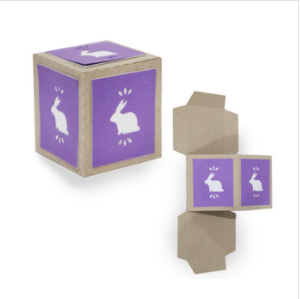
In today’s blog post, I show you how to put together an adorable little Flat Folding Bunny Box, which originally went out as a freebie to my Silhouette VIP group. This little box is the perfect way to package party favors or to wrap up a little Easter present you’d like to give someone! Maybe the Easter Bunny could use this box to deliver a special Easter treat. Stacking several of these boxes in different colors is also a cute way to create a stackable Easter display to add a touch of pastel panache to a room for the holiday.
I hope you have as much fun making this flat folding bunny box I had designing it! If you’d like to get freebies like this in your email every week then be sure to sign up as a VIP at the link below!
You can find my new products in the Silhouette store here:
I sent this little freebie to the Silhouette VIP Group! To join my VIP group for free, go here: http://eepurl.com/dN2RcY. I regularly RESEND files so be sure to sign up so that you are getting all my free tutorials!
Also, I have cut this up from my LIVE for which there was a lot of gluing that I felt you guys would be fine in missing!:)
I sent this little freebie to the Silhouette VIP Group! To join my VIP group for free, go here: http://eepurl.com/dN2RcY. I regularly RESEND files so be sure to sign up so that you are getting all my free tutorials!
To join my VIP group for free, go here: http://eepurl.com/dN2RcY. I regularly RESEND files so be sure to sign up so that you are getting all my free tutorials!
I sent this little freebie to the Silhouette VIP Group! To join my VIP group for free, go here: http://eepurl.com/dN2RcY. I regularly RESEND files so be sure to sign up so that you are getting all my free tutorials!
I sent this little freebie to the Silhouette VIP Group! To join my VIP group for free, go here: http://eepurl.com/dN2RcY. I regularly RESEND files so be sure to sign up so that you are getting all my free tutorials!
Ultimate Paper has begun! And I have my project for January but I’d love your help on the rest of 2020! What would you like to see? You can leave a comment here, on youtube, or on my instagram feed!
Want to get free projects and tutorials? You have to become one of my Silhouette VIPS! It’s free and you can join here:JOIN VIP.
This video was made during my Live Video series on my facebook and instagram pages (Live video times below).
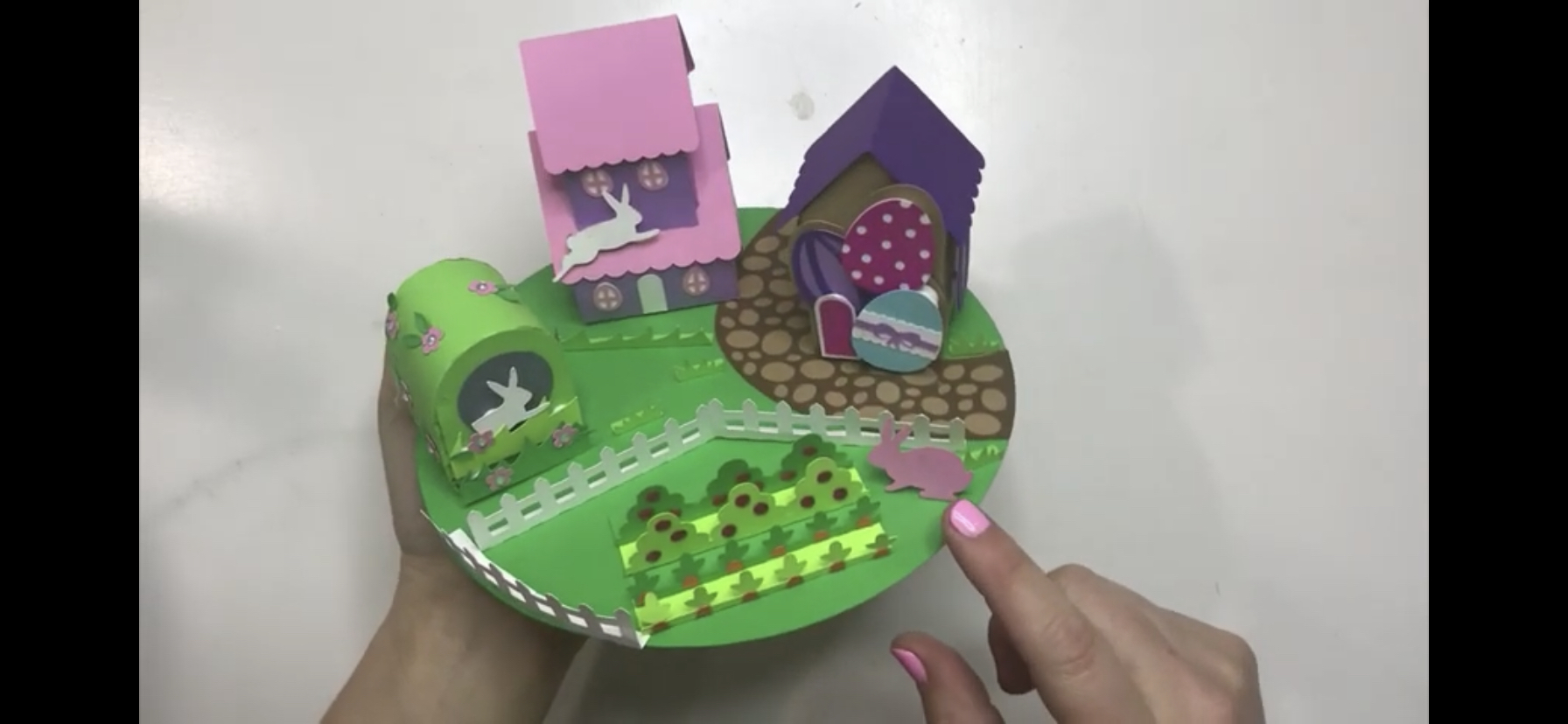
Today’s tutorial on my YouTube channel walks us through how to make my Mini Table Top Easter Village!
The Mini Easter Village is perfect for putting on a cake plate or as a centerpiece to decorate for the holiday. It adds decorative flair to any Easter display. First, you can give little bunnies adorable places to live. Then, choose from two houses or a bunny den that lovingly overlook the cute Easter garden in this colorful vignette.
Next, which bunny will live in the house decorated with Easter eggs? And which bunny will get the double-decker house with the round windows? Which will dwell in the little domed den that matches perfectly with the nature around it?
But, oh no! The bunnies will surely eat the garden! Finally, adding the picket fence is the perfect finishing touch to keep the leafy greens safe! But will it be enough?
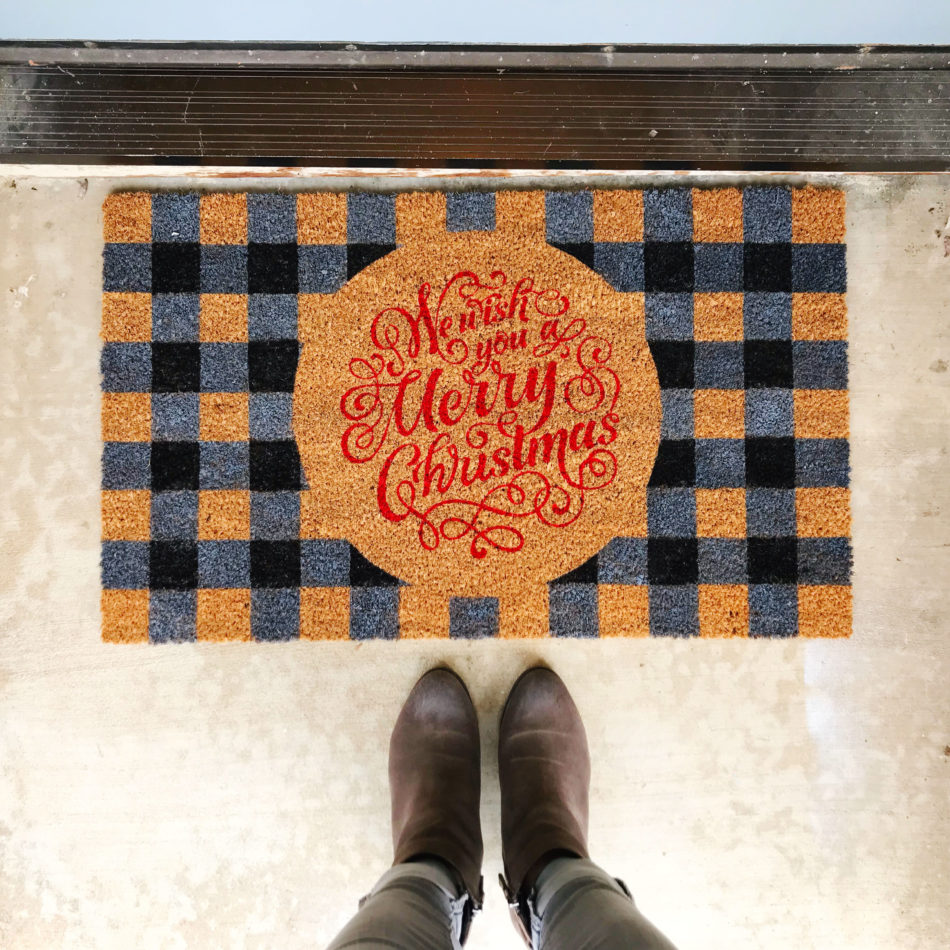
Christmas decorating is in full force at my house and while it’s easy to decorate the inside of the house, I knew I need to add some holiday flair outside. The front door is a great opportunity and space to welcome guests into our home so I made a customized holiday door mat to wish them a Merry Christmas!
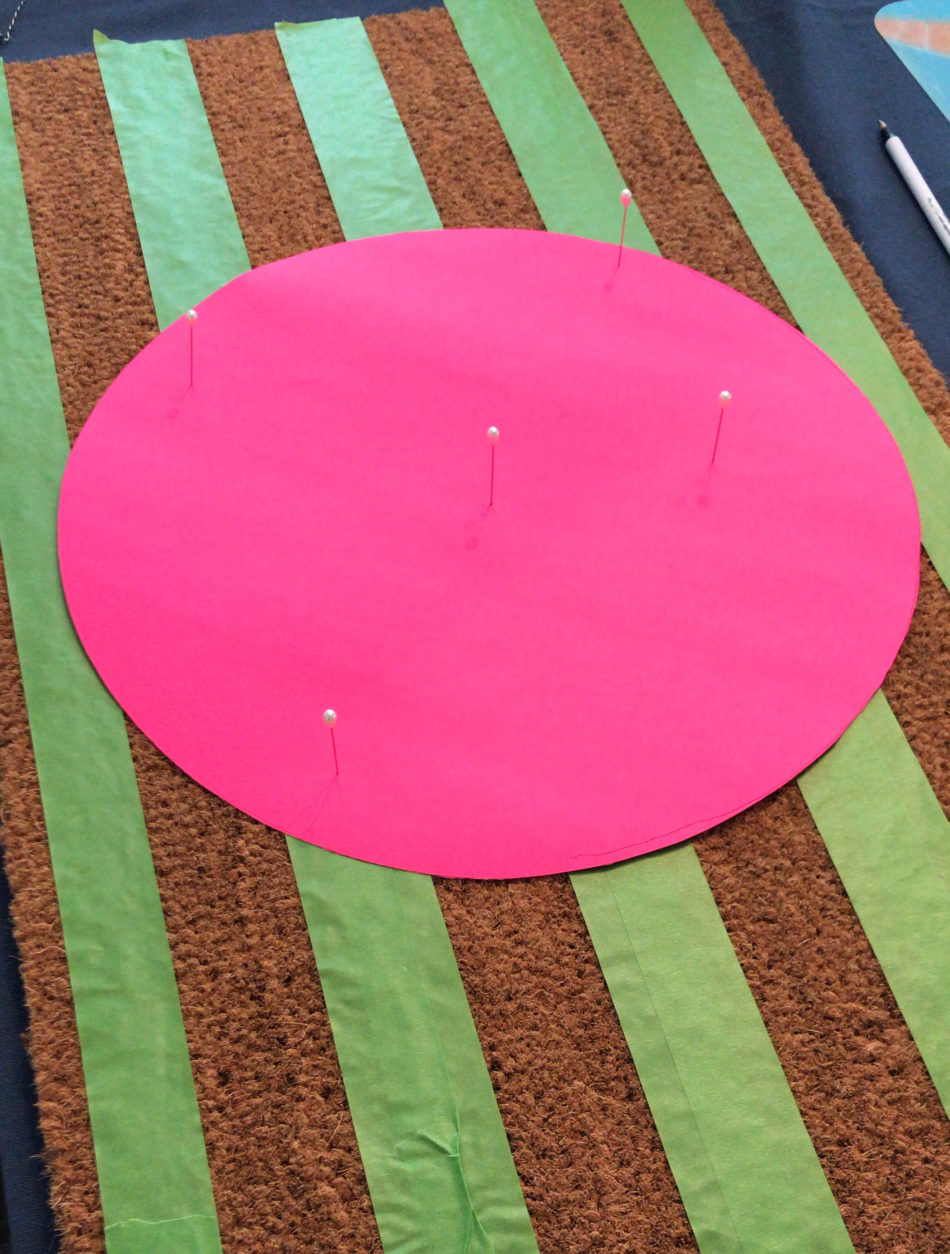
The core doormat comes blank and was purchased from Target. To create the buffalo plaid pattern, I used painter’s tape to section off 2” strips horizontally and vertically. Next, I cut out a large round circle and secured it to the middle of the doormat with pins.
The stripe painting process took a while because the horizonal stripes had to dry before I could tape down and paint the vertical stripes. It’s important to use outdoor acrylic paint versus regular acrylic paint as it is waterproof and to remove the painter’s tape while the paint is drying. Also, I highly recommend using a round bristle paint brush and painting in an up and down dabbing motion so that the paint goes straight down into the mat versus side to side that could lead to bleeding under the painter’s tape.
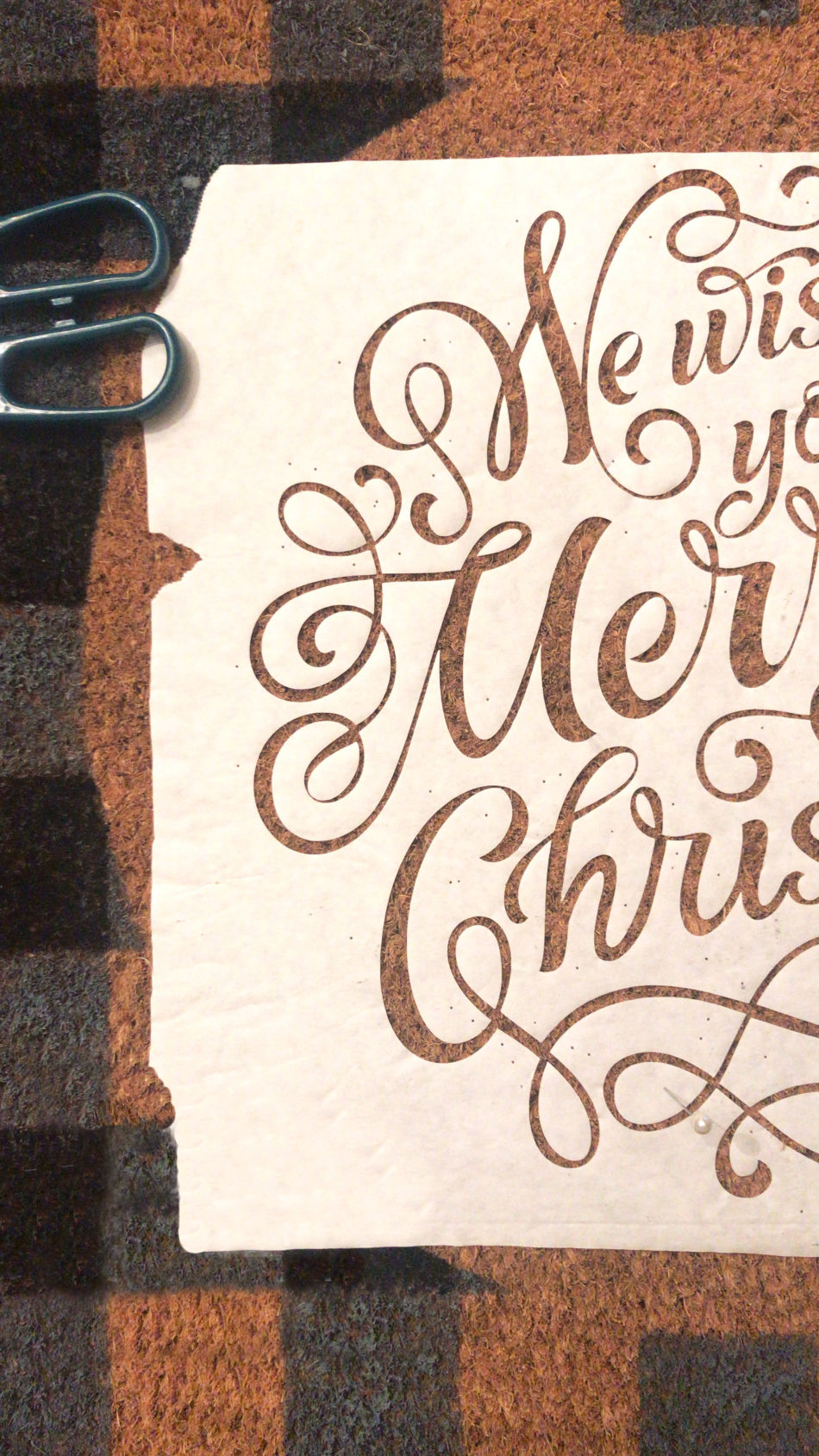
Next, I used my Silhouette Cameo and my 12in x 24in cutting mat to cut out the “We Wish You a Merry Christmas” design using freezer paper. Securing the cut out to the doormat was the longest part of this project since there are tons of flourishes and inner loose pieces. Patience is key here! I again used the pins to help lay out the design and once I liked how it looked, I gently ironed the design onto the doormat. The shiny side of the freezer paper adheres to the doormat when ironed.
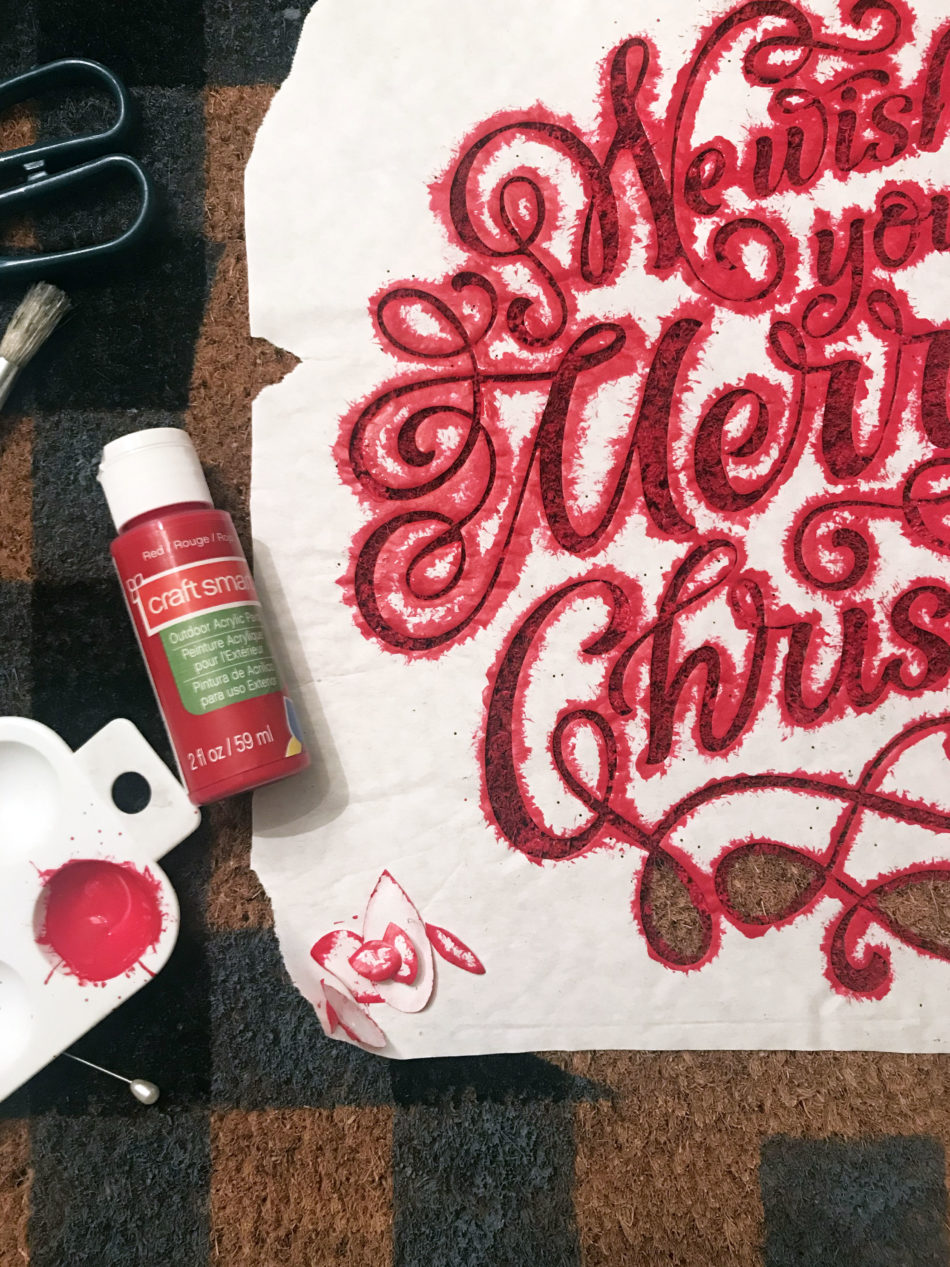
The last step was to use red acrylic paint and a smaller round bristle paint brush for the stencil. After a couple coats, I peeled off the freezer paper stencil and my festive door mat was done!
Hello from Southern California! I’m Christine, the gal behind Studio Xtine, where I share fun project tutorials, free printables, and a tiny glimpse of my favorite things like donuts, tacos, and more donuts. Ingrained in me is a deep desire and joy to create, which is why I love my Silhouette machines! When I’m not crafting, you can find me, my hubby, and my two munchkins hiking, devouring poke bowls, and strapping on a GoPro for our adventures.
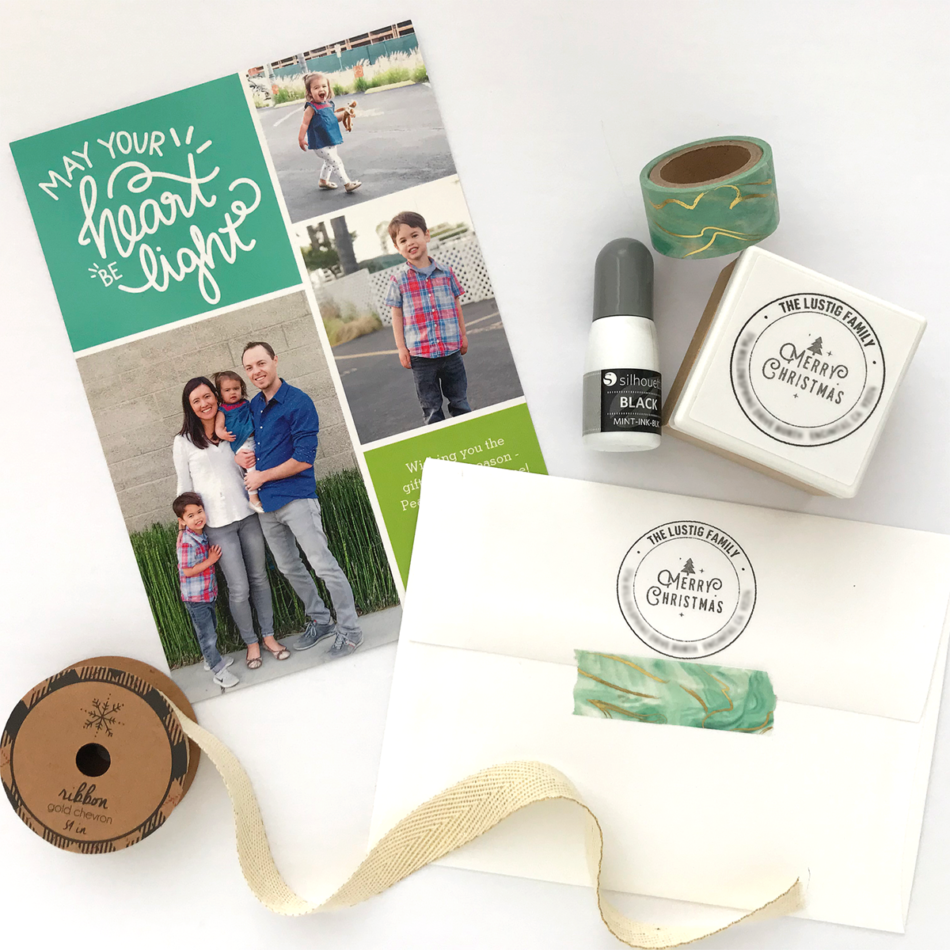
It’s that time of year again when I prepare sending Christmas photo cards to loved ones. This year, I have created a custom Christmas-themed address stamp with my Silhouette Mint custom stamp maker. The Silhouette Mint offers a variety of sizes and I find the 45mm x 45mm stamp size is the perfect size for round-shaped address stamps.
For my stamp, I used the letter “H” dingbat from Carina Gardner’s CG Christmas Quotes Dingbats collection and made it the focal piece. Next, I added my family name and address and nestled them within two concentric circles. I was able to create this design pretty easily all within the Mint Studio software. Many of the functions in Mint Studio is similar to Silhouette Studio’s such as making text curve.
The one thing to note is that a Mint stamp is different from standard rubber stamps. Mint stamps use special ink that is absorbed into the stamp material. After applying ink onto the stamp, let it sit for about 10 minutes. On scratch paper, stamp out excess ink until your stamp design becomes clear and clean.
You could even take this project up a notch by using different Mint inks. For example, I could use green ink for the Merry Christmas design in the middle and use black ink for the rest of the design. Again, there are a lot of possibilities for this project! Do you have the Silhouette Mint custom stamp maker? What do you make with it?
Hello from Southern California! I’m Christine, the gal behind Studio Xtine, where I share fun project tutorials, free printables, and a tiny glimpse of my favorite things like donuts, tacos, and more donuts. Ingrained in me is a deep desire and joy to create, which is why I love my Silhouette machines! When I’m not crafting, you can find me, my hubby, and my two munchkins hiking, devouring poke bowls, and strapping on a GoPro for our adventures.
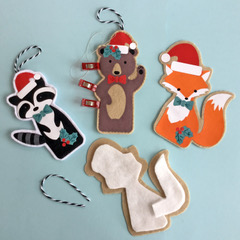
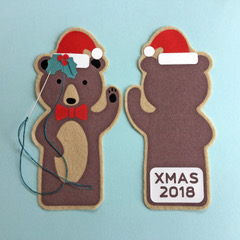
I love making Christmas decorations that can be used year after year, adding to our collection of family heirloom decor. These finger puppet files are intended to be made from paper, but with the simple addition of an offset, and omission of the finger holes, each cute creature can be cut from felt and flock heat transfer vinyl to make lasting tree ornaments. The fox, bear and racoon have been decorated with Christmas accessories taken from the dingbat file shown (letters e,x and z) and cut from fuzzy textured heat transfer. Once the decorations have been fused and the figures padded with a little wadding, they have been sewn by hand to make them perfect for decorating our holiday tree.
There is the opportunity for adding personalisation too. I’ve added ‘Xmas’ and the year to these in the Silent Hight font, but I’ll be adding the names of the junior family members for our family set.
All the cut files used are by Carina Garner and Mini Lou from the Silhouette Design Store:
Christmas Animals Ornaments– intend to double them up, add offset, remove the holes, cut from felt and add accessories.
My name is Janet Packer, a passionate papercrafter from Aberdeen, Scotland. My background is in education and technical instruction and I love to share crafting techniques, new products, and design sources. My craft blog, Crafting Quine, is brimming with ideas for card making, paper craft and home decor, many using the Silhouette Cameo. You’ll find hints and tips galore, as well as step-by-step project instructions, and crafting inspiration with a thrifty bias. For updates and pretty crafting pics follow me on Instagram.
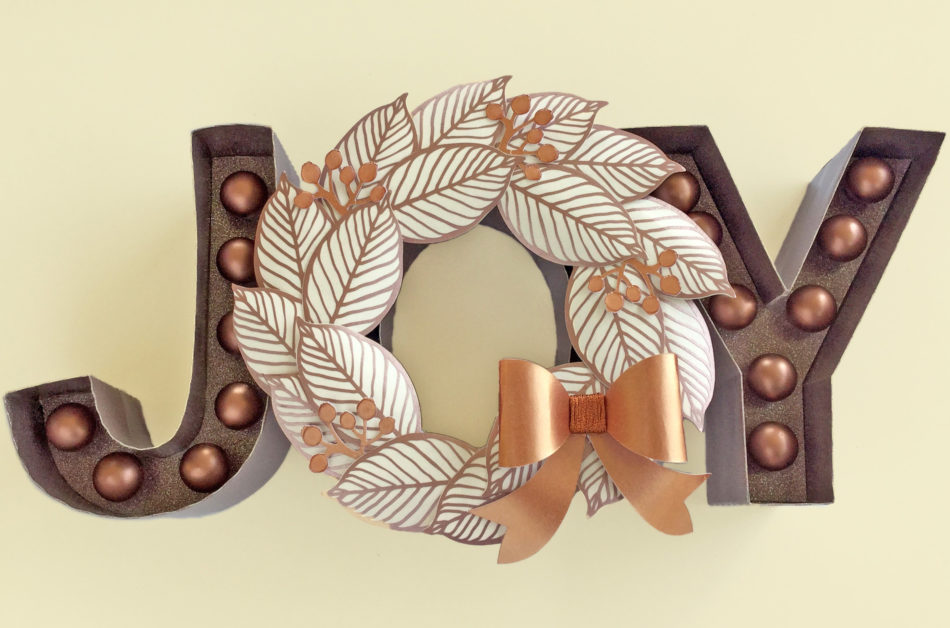
I love, love, LOVE making my own Christmas decorations. This joy marquee letter project makes the perfect holiday centrepiece – I shall be giving it pride of place in my entryway this year!
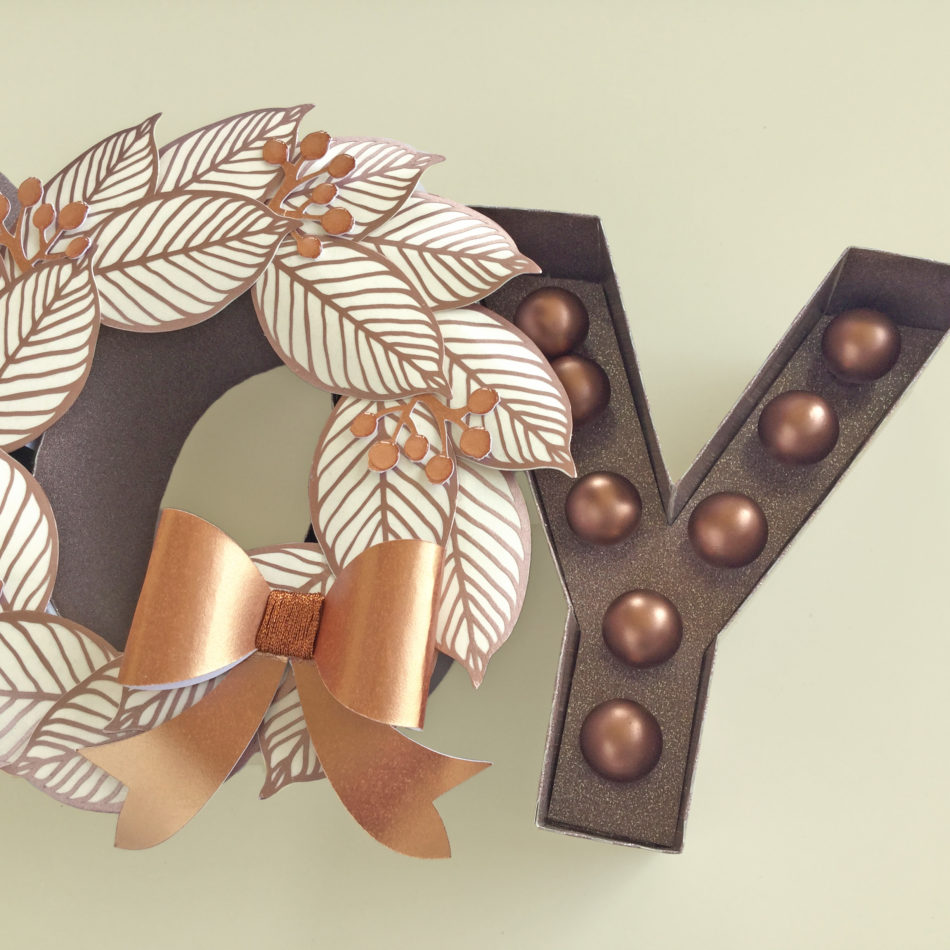
The marquee letters are made from paper and cardstock. I like to make these letters with thick cardstock for the center parts, and a thinner, more flexible paper for the outer part; here I’ve used glitter wallpaper! The wreath has been reduced in size from the original and the delicate cuts on the leaves are cut from metallic vinyl – great for fine details. The bow and berries are cut from metallic cardstock with metallic embroidery thread wrapped around the bow knot to give additional texture. The berries are made more rounded using some clear dimensional glaze. The faux light bulbs are actually glass tree bauble decorations, spray painted with metallic spray paint. They fit perfectly in the holes provided for fairy lights, but the holes could be reduced or enlarged if the base of the bulbs used differ in size. The letters are joined together with some wedges of card. Mine are made with cardstock scraps from around the letter centres and are hidden by the wreath’s leaves. The entire piece is light enough to be wall mounted with temporary hook and loop hangers.
All the cut files used are by Carina Garner and Mini Lou and are available from the Silhouette Design Store:
My name is Janet Packer, a passionate papercrafter from Aberdeen, Scotland. My background is in education and technical instruction and I love to share crafting techniques, new products, and design sources. My craft blog, Crafting Quine, is brimming with ideas for card making, paper craft and home decor, many using the Silhouette Cameo. You’ll find hints and tips galore, as well as step-by-step project instructions, and crafting inspiration with a thrifty bias. For updates and pretty crafting pics follow me on Instagram.
Please note that you need to watch the entire video (and or skip to the end) because I have several tips and tricks for ALL of the ornaments throughout but especially at the end!
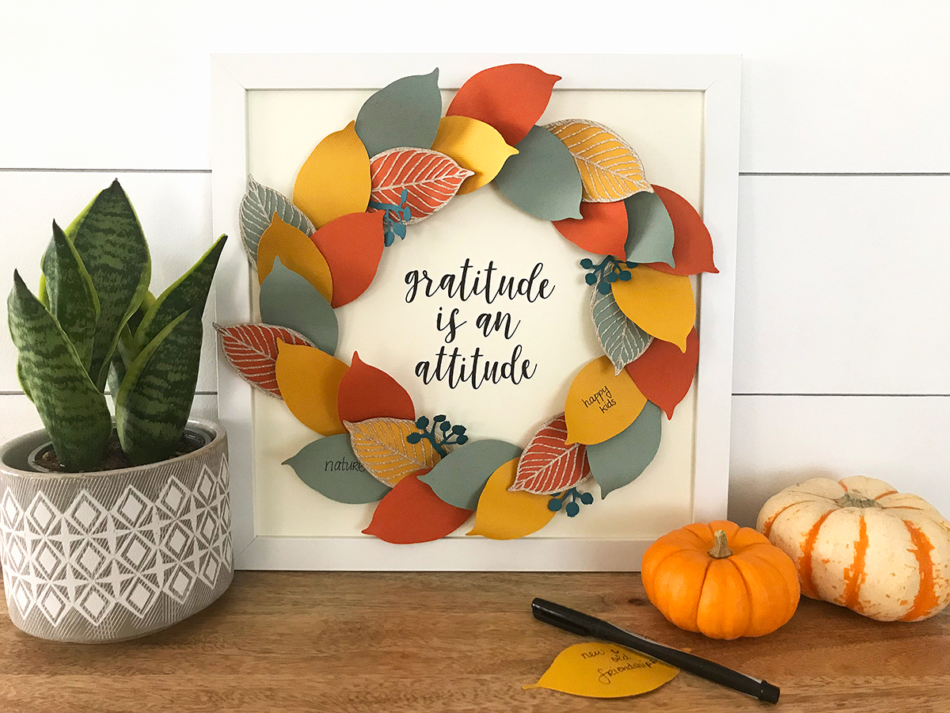
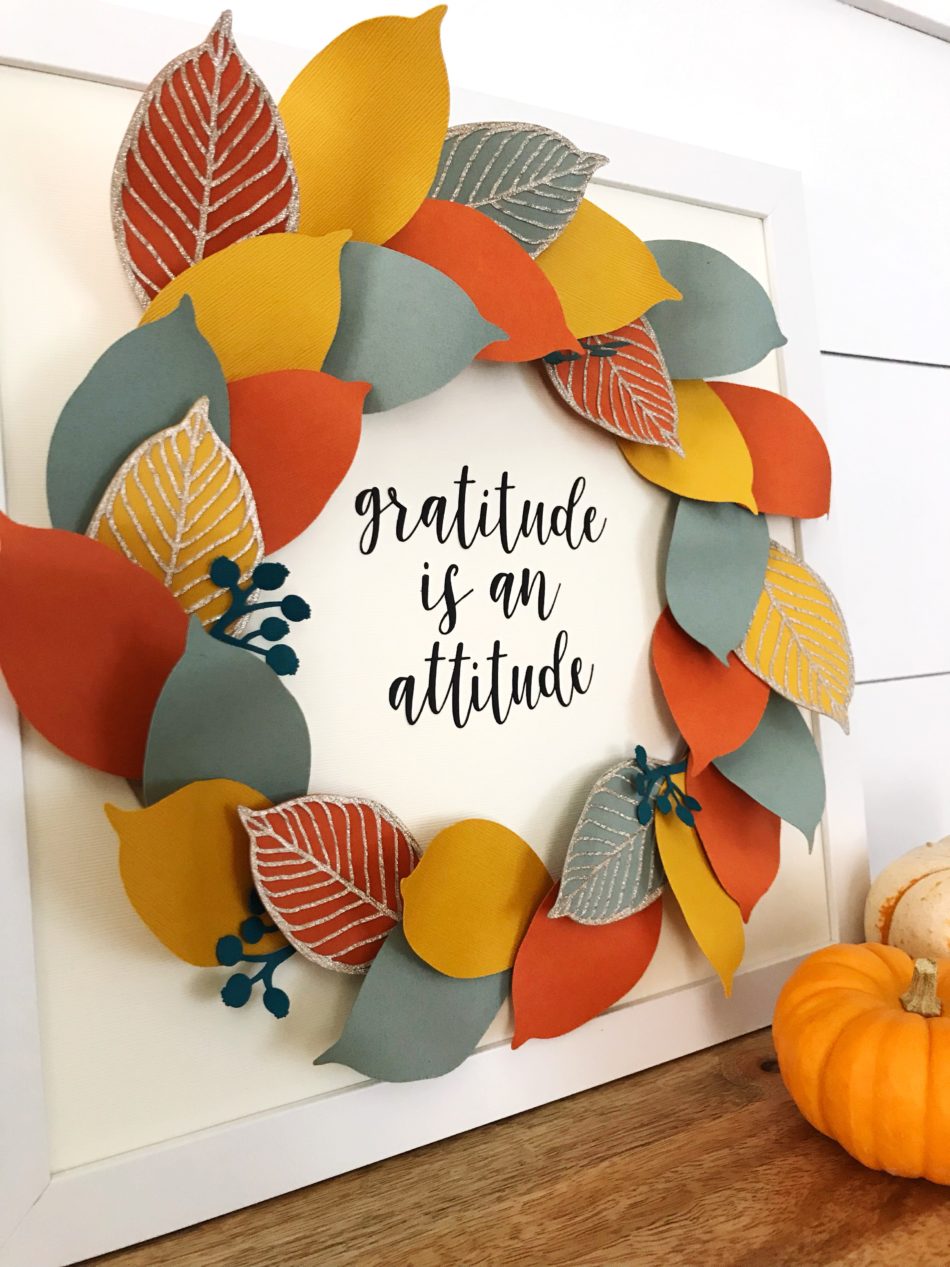
Creating beautiful papercrafts is always fun but to take it up a notch and make it interactive and a part of my family’s daily life…THAT is #craftyparentgoals! Thankful trees are popular around this time of year as we reflect on the year and count our blessings. This project takes the same concept of writing on leaves but assembles them into a stunning wreath.
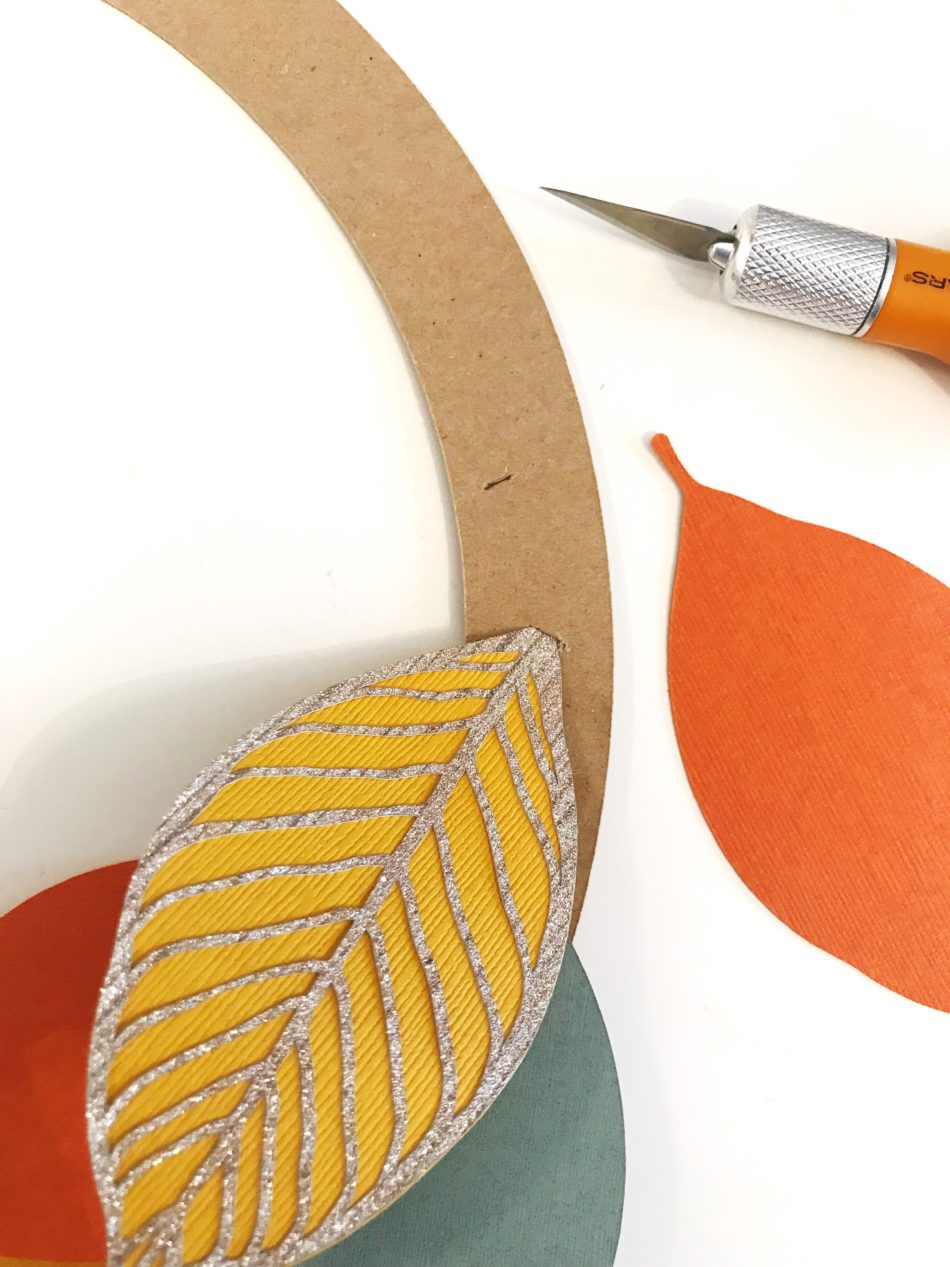
For the leaf cutouts, I used three different colored cardstock in fall colors. I decided to use a glitter cardstock for the lace-like leaf cutout to give the wreath some visual interest and sparkle. As for the base circular piece, I used chipboard because it is a stiffer material that can hold the weight of the leaves when they are attached to it.
I created a natural look with the leaves by giving it some dimension. I did this by bending the leaves gently with my fingers or curling the leaves with a pencil until the desired look is achieved.
With an Xacto knife, I cut a small slit on the circular chipboard base that was wide enough for the leaf stem to slip in. I arbitrarily cut slits wherever I felt the next leaves should go and continued around the chipboard base piece.
I found the perfect phrase in CG Thankful Dingbats, cut it out using black cardstock, and glued it onto an ivory-colored cardstock that was already inserted into a 12in x 12in frame. Note: a scrapbooking glue with a fine tip works best for thin cutouts.
Lastly, with strong scrapbooking adhesive applied to the back of the circular chipboard, I pressed it firmly onto the framed cardstock. And all that is left to do is jotting down things we are grateful for and remembering that gratitude is an attitude!
Hello from Southern California! I’m Christine, the gal behind Studio Xtine, where I share fun project tutorials, free printables, and a tiny glimpse of my favorite things like donuts, tacos, and more donuts. Ingrained in me is a deep desire and joy to create, which is why I love my Silhouette machines! When I’m not crafting, you can find me, my hubby, and my two munchkins hiking, devouring poke bowls, and strapping on a GoPro for our adventures.
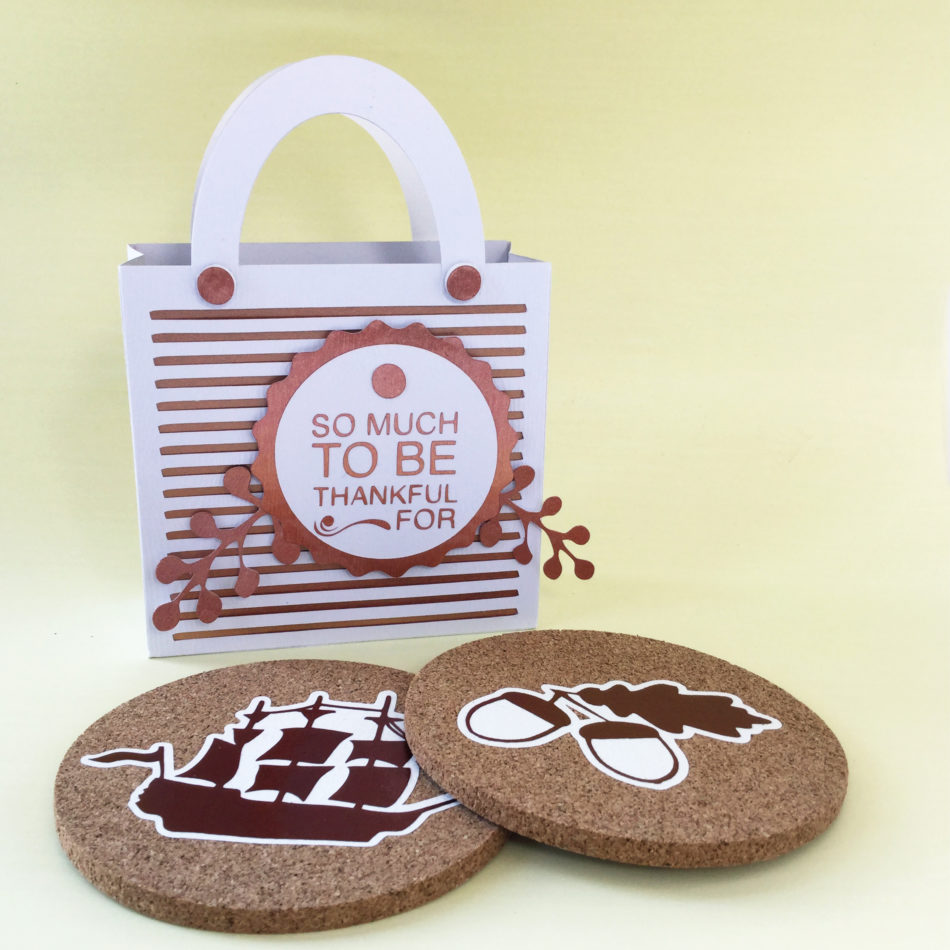
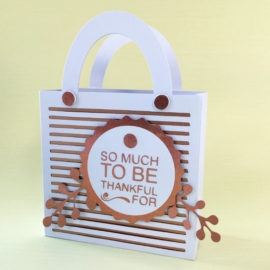
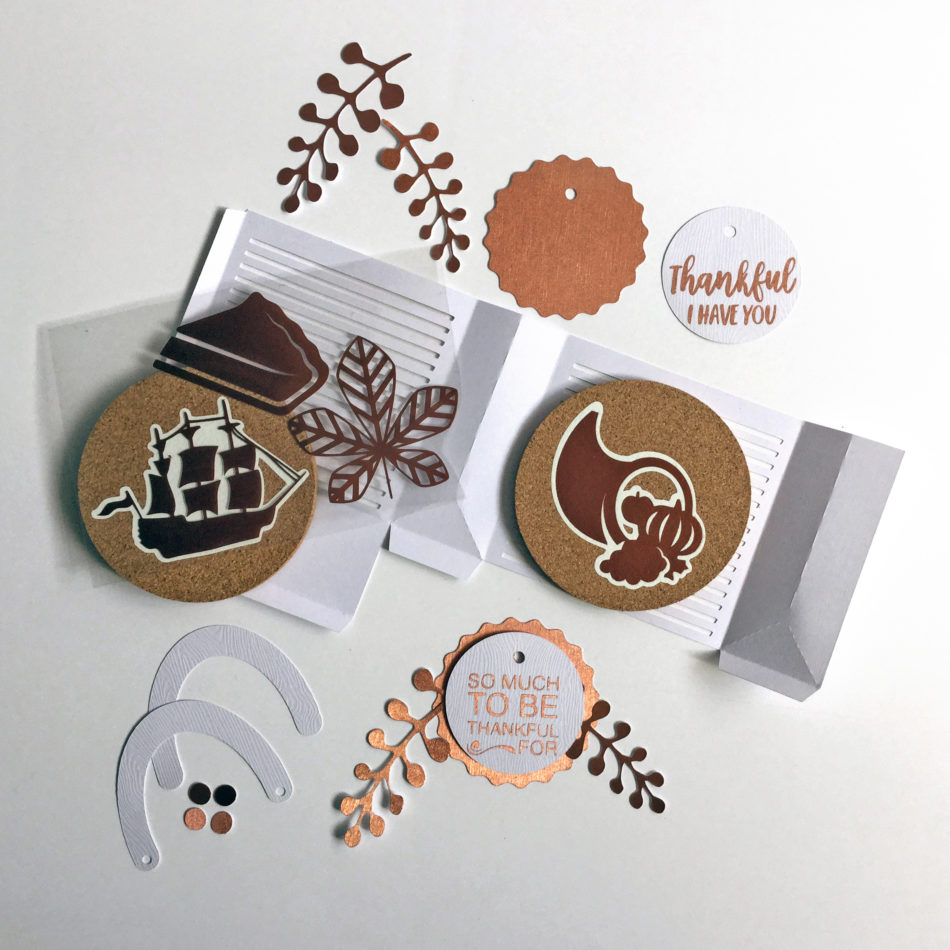
It is great to be able to make useful homemade gifts and to present them in lovely gift packaging. This Thanksgiving gift of practical cork drink mats in a cute presentation bag makes a perfect family or hostess gift.
The cork mats are decorated with heat transfer materials in warm metallic copper, set off against smooth white vinyl offset outlines. All the shapes come from a selection of designs from two sets of Dingbat fonts. The striped gift bag is a lovely way of gifting them, being cut from wood textured white cardstock with copper cardstock and metallic vinyl accents (I highly recommend cutting tiny details, such as wording and flourishes, in adhesive sign vinyl). The foiled decorative accents come from a further set of dingbats. It’s such fun to be able to mix and match the tags, sentiments, and leafy sprig designs – there are so many variations to choose from in the dingbat fonts .
All the cut files used are by Carina Garner and Mini Lou from the Silhouette Design Store:
My name is Janet Packer, a passionate papercrafter from Aberdeen, Scotland. My background is in education and technical instruction and I love to share crafting techniques, new products, and design sources. My craft blog, Crafting Quine, is brimming with ideas for card making, paper craft and home decor, many using the Silhouette Cameo. You’ll find hints and tips galore, as well as step-by-step project instructions, and crafting inspiration with a thrifty bias. For updates and pretty crafting pics follow me on Instagram.
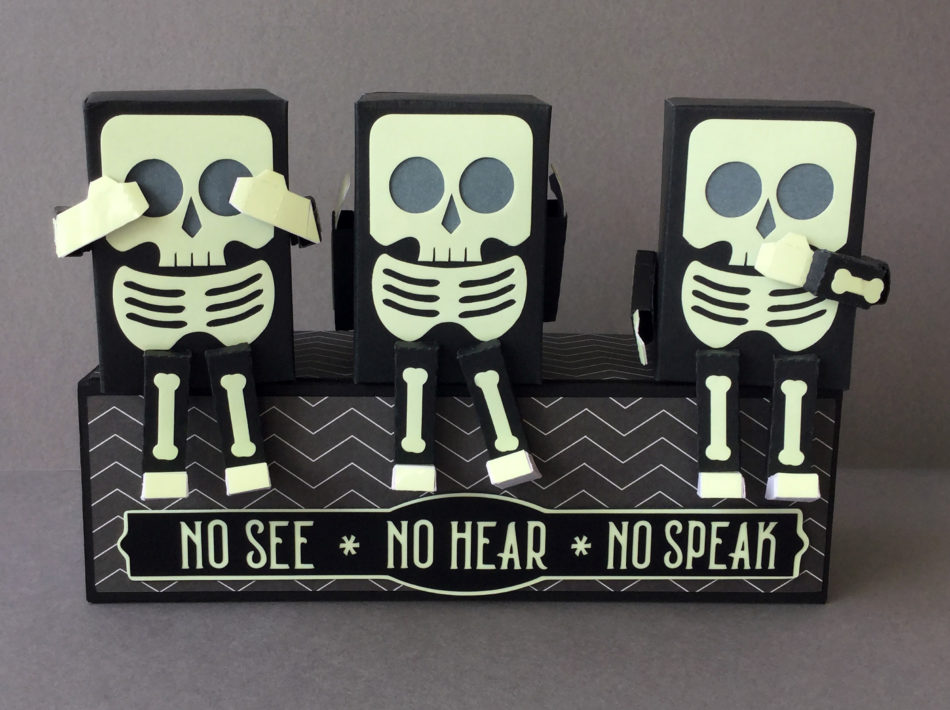
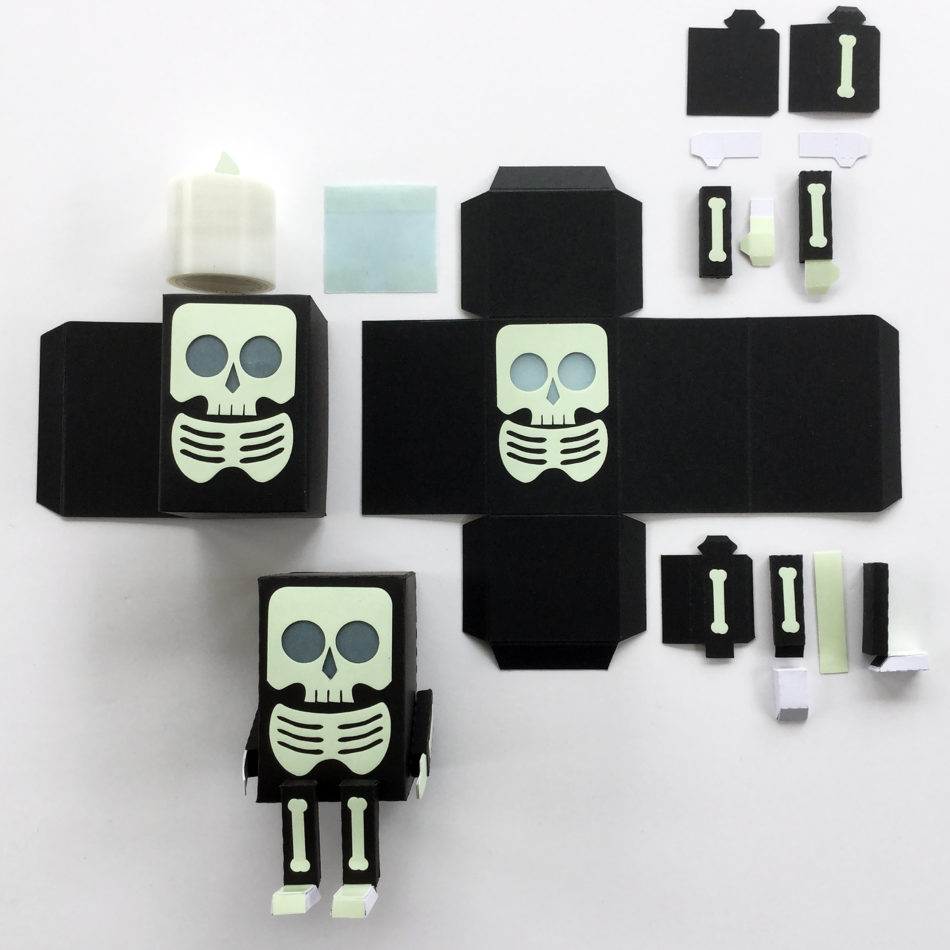
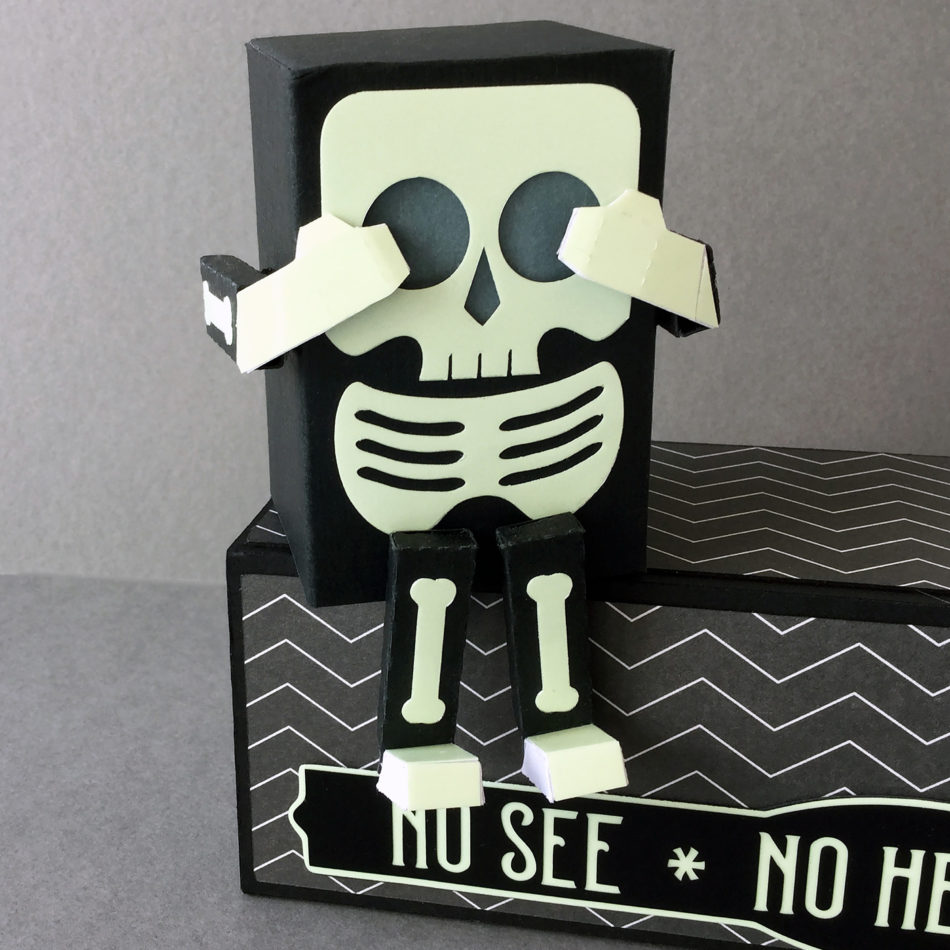
I LOVE halloween, and it is the perfect opportunity to use our cutting machines to make the most fun and unique items to decorate our homes! This mini skeleton shelf sitter is such a cute halloween make, and by adding the bones cut from glow-in-the-dark paper, a square of vellum behind the eyes, and popping a LED tea light inside, it becomes a little spooky too!
As I was putting the first one together I had the idea that three skeletons in a row could become a take on the three wise monkeys; the three wise skellies! Just a little manipulation to the placement and construction of the hands and arms and the were transformed into ‘see no evil’, ‘hear no evil’, and ‘speak no evil’ skeletons! To achieve the different arm configurations, I simply cut a few extra pieces and played around with them until I like the positioning.
Originally designed to sit directly on a shelf, I mounted them onto a single box. It is an enlarged version of one of the I Love America boxes, stretched until it was big enough for the skeletons to sit comfortably side by side. I then added a sign in black vinyl layered on glow-in-the-dark-paper in the lovely CG Posh font, and a stretched label from the CG Pretty Shapes Dingbat set.
The finished group can sit anywhere in the house: shelf, mantle, or just about any piece of furniture. For an even more fun idea, the boxes could be mounted directly to the wall with removable picture fixings. I think they look best after dark. What do you think?
All the cut files used are by Carina Garner and Mini Lou from the Silhouette Design Store:
My name is Janet Packer, a passionate papercrafter from Aberdeen, Scotland. My background is in education and technical instruction and I love to share crafting techniques, new products, and design sources. My craft blog, Crafting Quine, is brimming with ideas for card making, paper craft and home decor, many using the Silhouette Cameo. You’ll find hints and tips galore, as well as step-by-step project instructions, and crafting inspiration with a thrifty bias. For updates and pretty crafting pics follow me on Instagram.
Hi there my fellow crafters!! My name is Nicole, known better as “teachdanz” in the craft world, and I am here today with a Halloween inspired project for you.
To create my Halloween treat boxes I used the following files from Carina Garnder –
I started off by opening up the Snowflake Favor Bag in my silhouette design studio. I ungrouped everything and then resized the bag to 11.5 inches in height keeping the sizing “locked” so that the image increased proportionately in size. I resized the layers for the sides of the bag too. After I cut out the bag and the layers I glued those together and got to work on the candy corn swirl flourish. I sized the flourish to fit the sides of my bag and then did an offset. Since I used a striped paper for my bag I wanted to make sure the candy corn flourish stood out and didn’t get lost in the busy background. I used foam adhesive to pop my candy corn images up to give a bit of dimension to the bag.
I designed these to be given as a Halloween treat but they could easily be redone in fall colors to make it more of a “fall/Thanksgiving” themed treat bag. I really like this treat bag and the versatility of it!!
Thanks so much for stopping by today!! I hope I have inspired you today!
Find all of Nicole’s amazing projects at the links below!
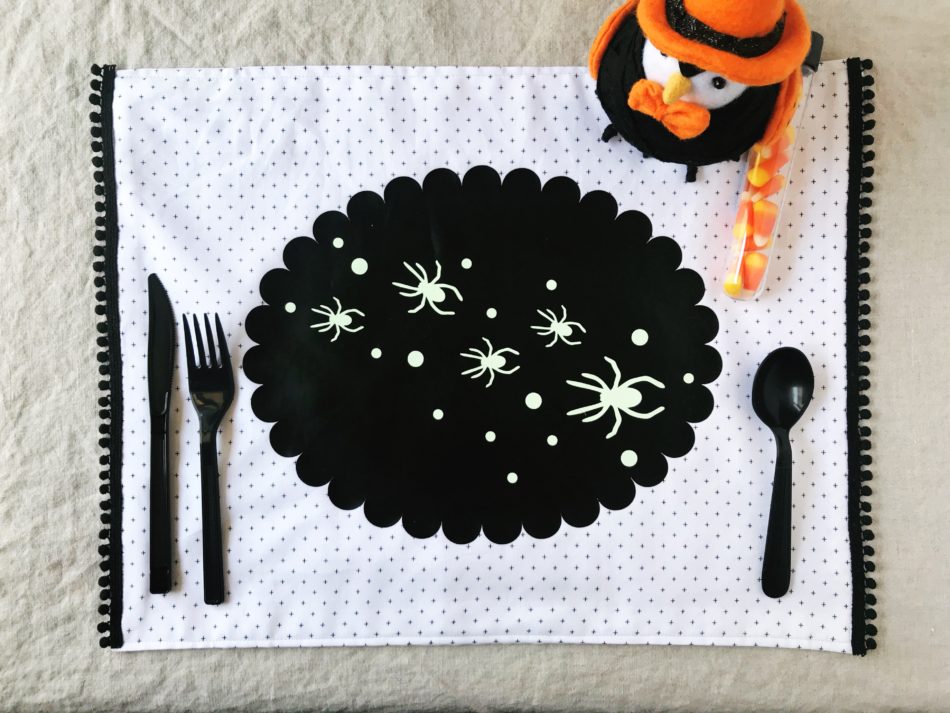
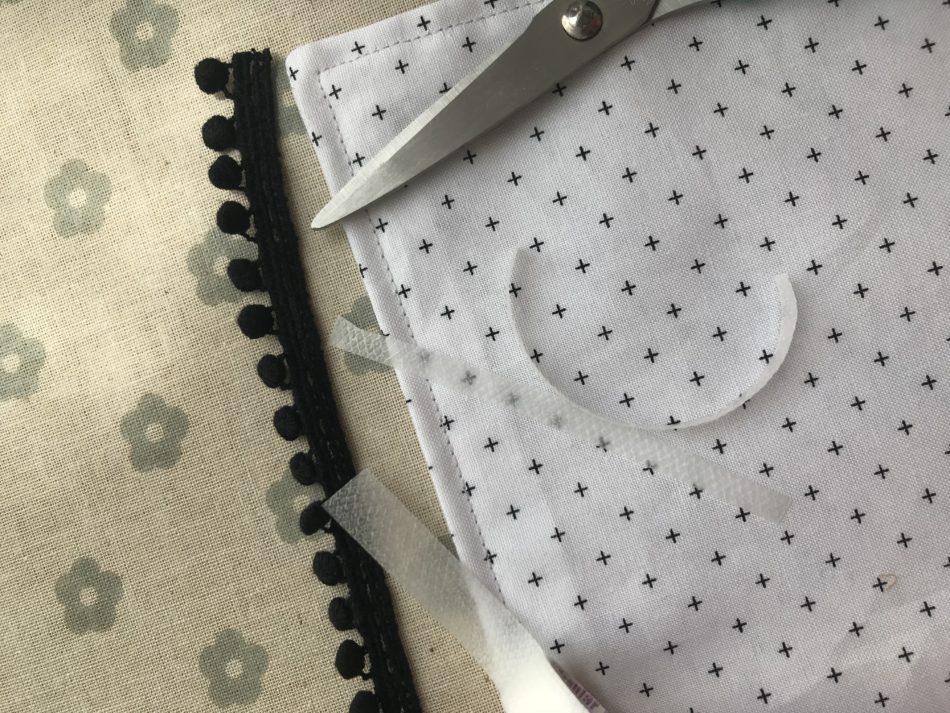
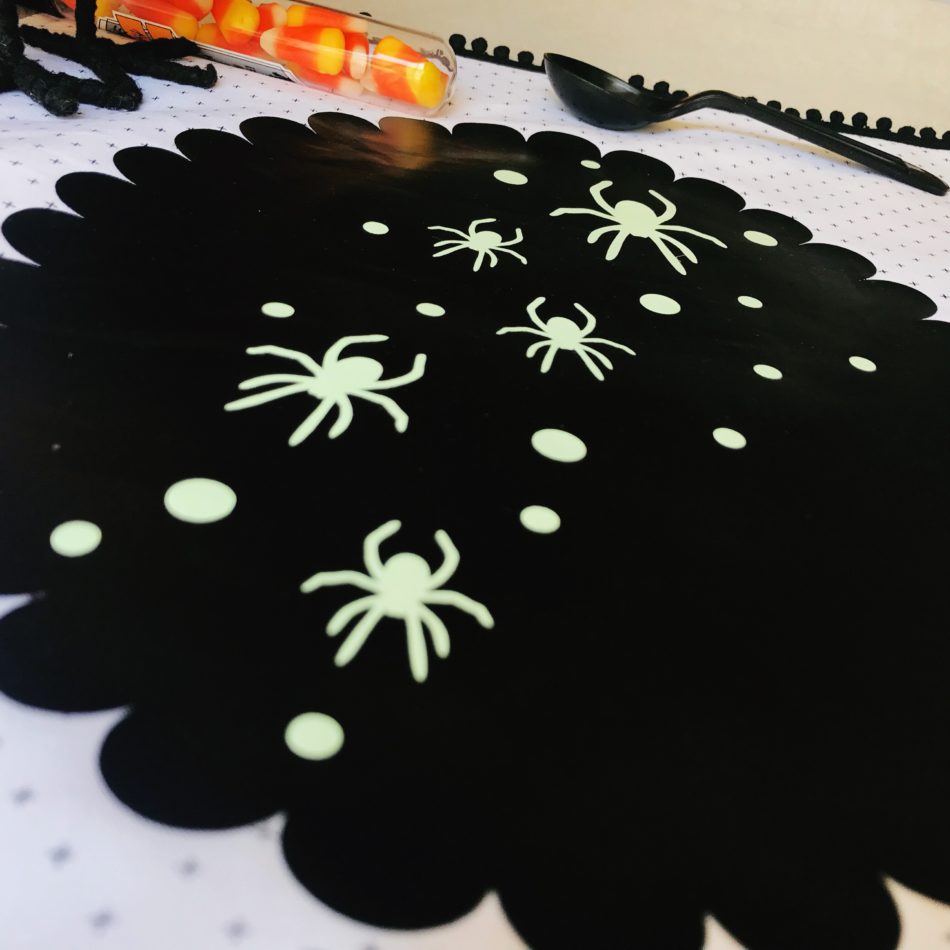
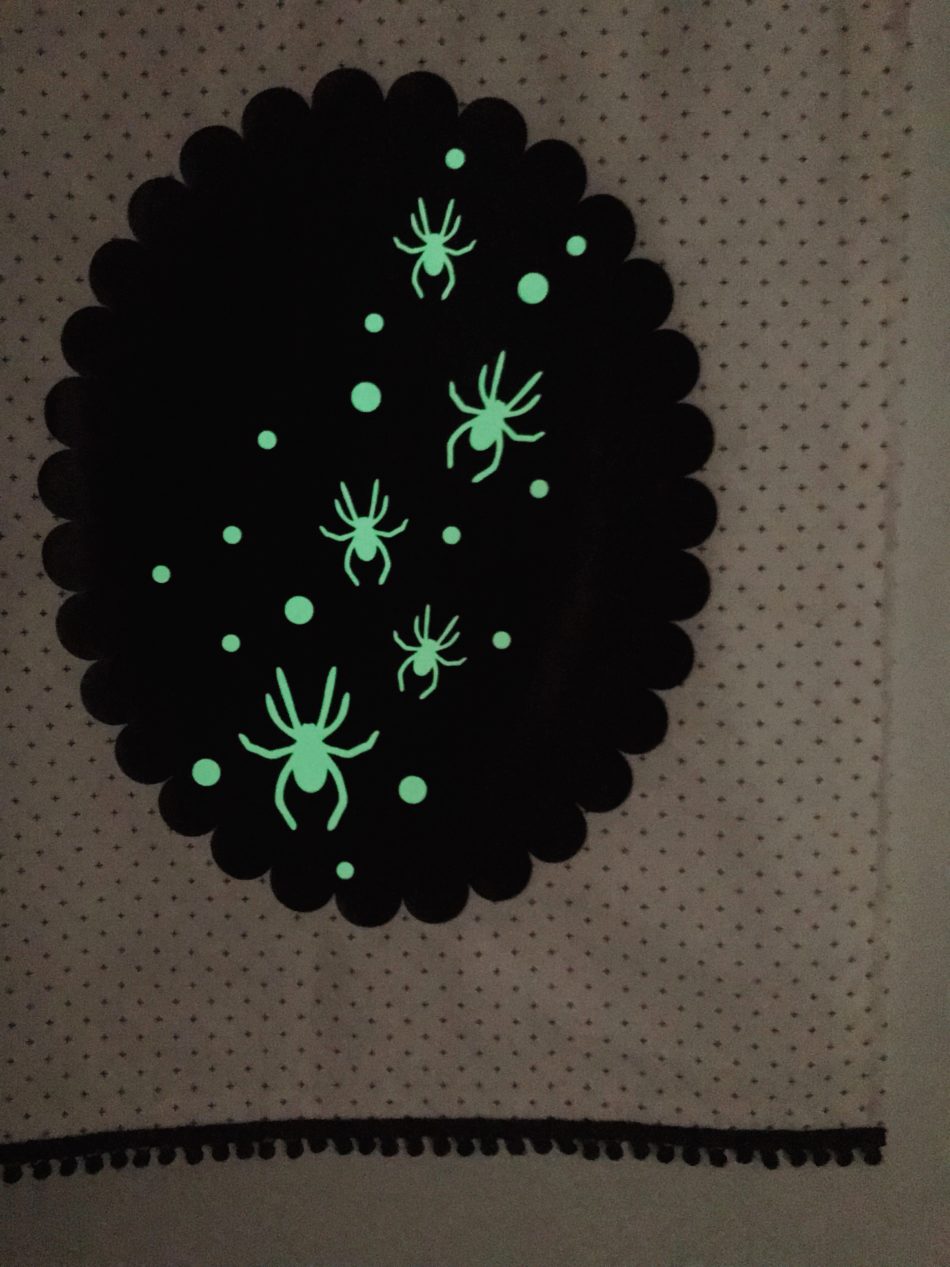
As soon as summer ends, I get right into fall decorating mode because Halloween is my favorite holiday of the year! First on my decorating to-do is our dining room tablescape and I’m so thrilled how well this DIY placemat project turned out!
Now I’ll just need to make a whole set! Making the fabric placemat was the hardest part but that’s because I am a sewing newbie. My favorite part of this project was adding glow-in-the-dark heat transfer vinyl for the dots and spiders! Anything glow-in-the-dark screams Halloween, right?
Hello from Southern California! I’m Christine, the gal behind Studio Xtine, where I share fun project tutorials, free printables, and a tiny glimpse of my favorite things like donuts, tacos, and more donuts. Ingrained in me is a deep desire and joy to create, which is why I love my Silhouette machines! When I’m not crafting, you can find me, my hubby, and my two munchkins hiking, devouring poke bowls, and strapping on a GoPro for our adventures.



 \
\


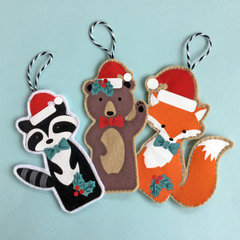 I love making Christmas decorations that can be used year after year, adding to our collection of family heirloom decor. These finger puppet files are intended to be made from paper, but with the simple addition of an offset, and omission of the finger holes, each cute creature can be cut from felt and flock heat transfer vinyl to make lasting tree ornaments. The fox, bear and racoon have been decorated with Christmas accessories taken from the dingbat file shown (letters e,x and z) and cut from fuzzy textured heat transfer. Once the decorations have been fused and the figures padded with a little wadding, they have been sewn by hand to make them perfect for decorating our holiday tree.